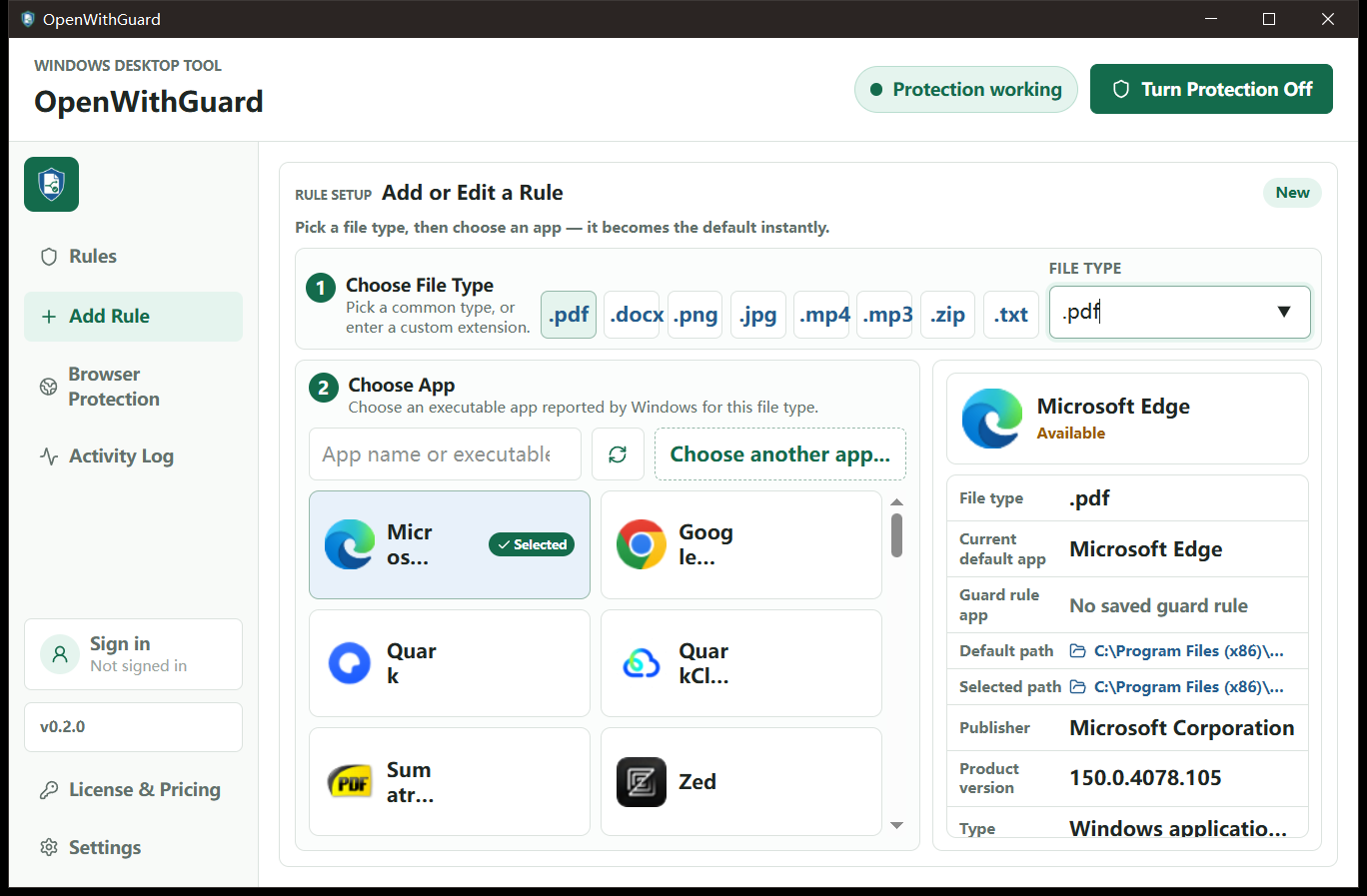
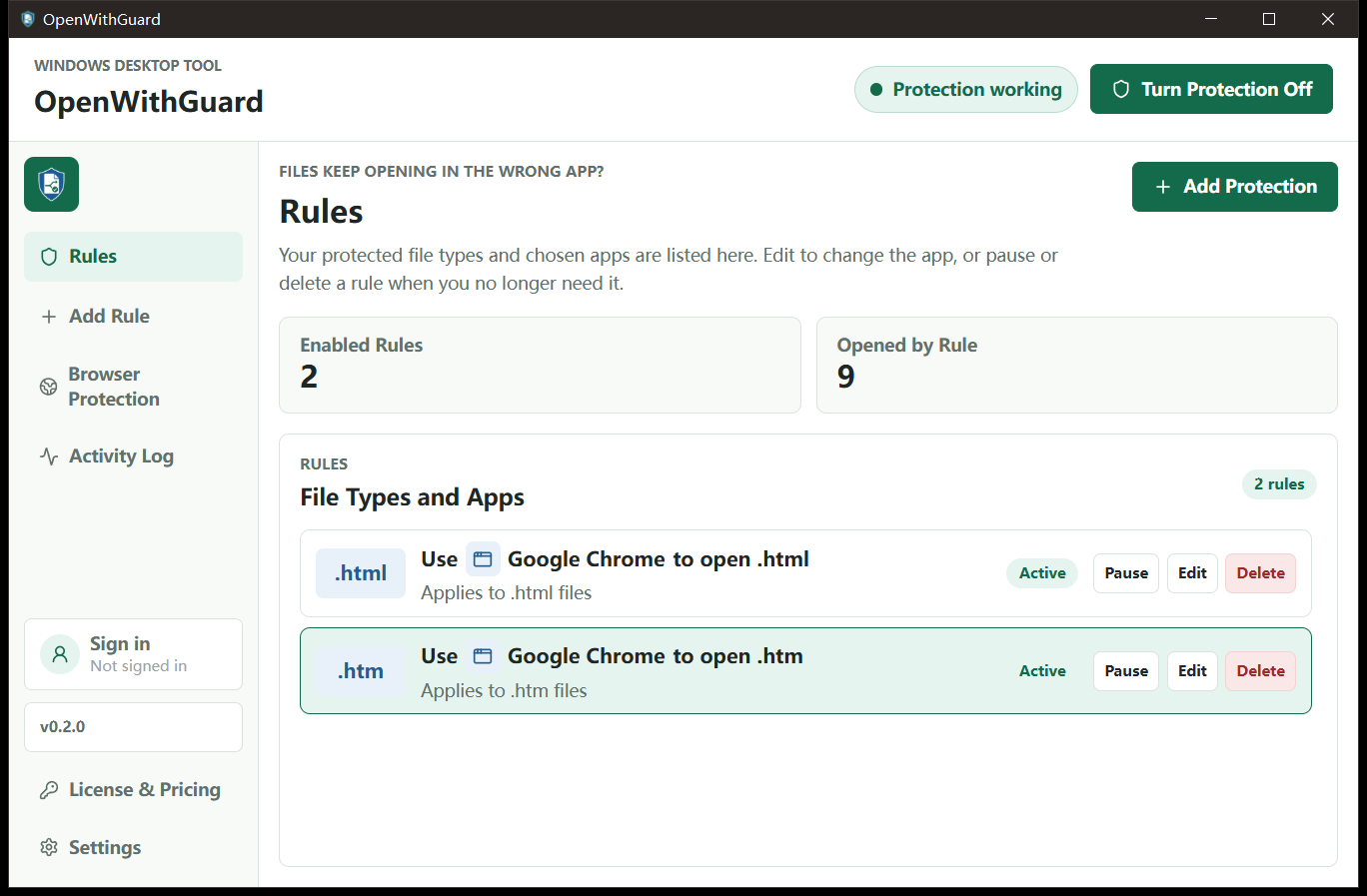
Choose an app for each file type.
Pick a common format or enter your own extension. Use an app registered with Windows or select an executable directly.
File association protection for Windows
OpenWithGuard watches the file and browser associations you protect. If another program changes one, it restores your choice.
Windows 10 and 11 · 64-bit · administrator approval required
What it does
Choose an app for a file type or web link, see which choices are protected, and change them whenever you need to.
Pick a common format or enter your own extension. Use an app registered with Windows or select an executable directly.
Select a browser already registered on your PC and protect that choice.
Protection settings and recent activity are stored locally on the Windows device.
Optional strong protection watches for repeated icon-association changes.
When an update is ready, a download icon appears beside the installed version. You choose when to install it.
Getting started
Choose a common extension such as PDF, PNG, or ZIP—or enter your own.
Pick from applications registered for that file type or choose an executable directly.
The choice takes effect immediately. Edit, pause, or remove the rule whenever you want.
Real app, real Windows data
The English app is running on Windows 11 with protection enabled and the Windows application list loaded.
Privacy
OpenWithGuard measures anonymous installations and app visibility. It does not send file contents, protected filenames, rule targets, executable paths, or Google profile data to PostHog.
File rules, browser choices, preferences, and bounded opening activity.
Install and window-show events with random installation ID and basic build information.
Basic Google identity data is used by PocketBase for authentication—not product analytics.
Before you download
OpenWithGuard is an independent Windows utility and is not affiliated with Microsoft, Google, or the applications shown in its interface.
No. The product works with Windows registrations, file extensions, and local rules. File contents are not uploaded to provide protection.
The per-machine installer places protection components where they are available consistently to Windows users and processes.
Yes. Individual rules can be paused or deleted, and global protection can be turned off from the app.
Download OpenWithGuard for 64-bit Windows.